![23LenderLogixLogo_White_Horz-1.png]](https://learn.lenderlogix.com/hs-fs/hubfs/23LenderLogixLogo_White_Horz-1.png?height=20&name=23LenderLogixLogo_White_Horz-1.png)
Let's walk through updating your photo on your Digital Business Card in LenderLogix. This action will also be reflected throughout your LenderLogix account as a whole.
Step 1: Navigate to your Account's Customize Digital Business Card Page
- Log into your LenderLogix account.
- Click on "Customize Digital Business Card" in the left-pane menu
- Click on "Customize Digital Business Card" in the left-pane menu
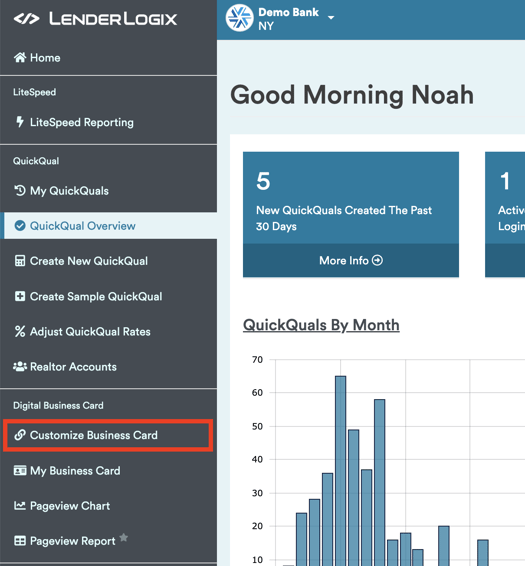

This is the only location where you can edit your Digital Business Card
Step 2: Open your Digital Business Card's Header and Upload Photo
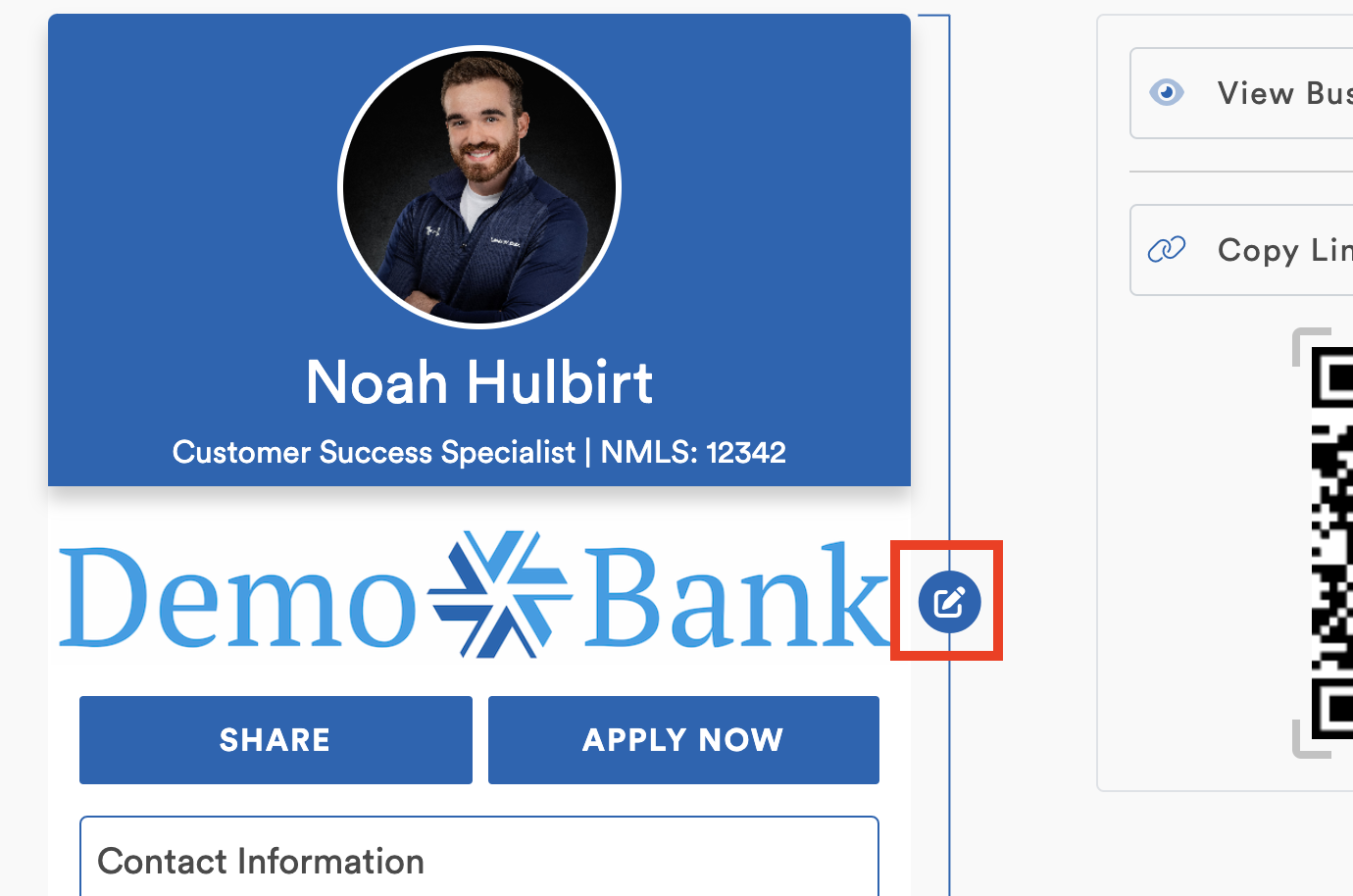
- Click the pencil icon next to the upper portion of your card to edit.
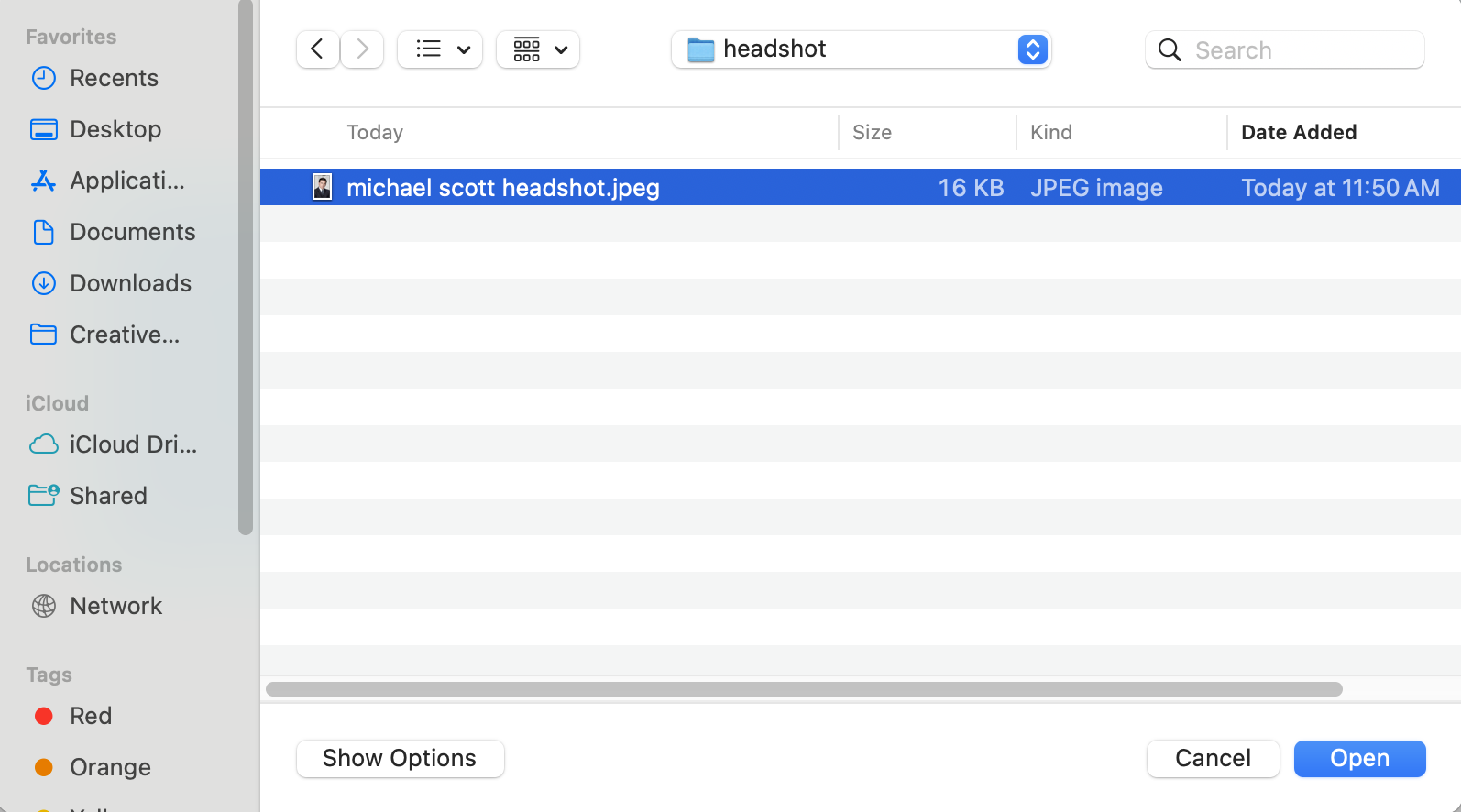
- Click on the photo upload prompt to select and upload your new photo.
- Locate and upload your new photo.
- Once uploaded, you can adjust the position of the photo as needed.
- Click "Save Changes" to apply the new photo to your business card.




Now you can keep your business card up-to-date with a new headshot and maintain a professional image for your clients and partners. If you have any questions or need further assistance, don't hesitate to reach out to us at support@lenderlogix.com!