
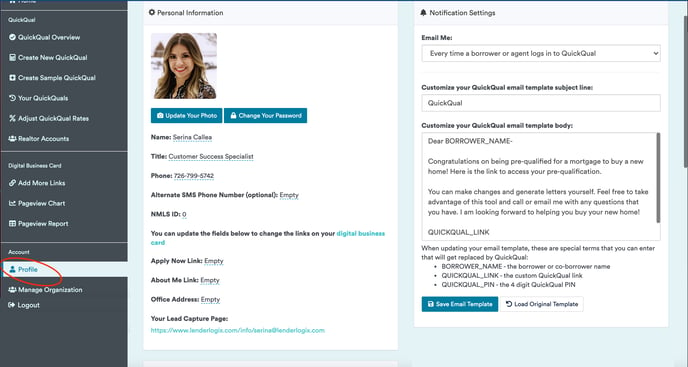
Yes! Loan Officers can personalize their emails to borrowers at any point. Select the Profile navigation option on the left-hand side of your dashboard and adjust your template on the right-hand side under "Notification Settings." From here, you can adjust the email text and the subject line.
When sending from Outlook, the max character count for the email text is 1,200. When sending from Gmail, the max character count for the email text is 1,500. We recommend keeping your copy under 1,200 characters to ensure the best experience regardless of your email program and web browser.